Aller au contenu principal

How to Choose the Right 10Gb SFP Cable?

Choosing the right 10gb Sfp Cable is not just a matter of matching connector shapes. The correct choice depends on distance, fiber type, switch compatibility, and the cable’s power and heat limits. Distance matters. So does compatibility. A cable that fits physically may still fail to establish a stable link.

IEEE 802.3 specifies 10GBASE-SR reach of up to 300 meters on OM3 multimode fiber and 400 meters on OM4. For longer links, 10GBASE-LR supports up to 10 kilometers over single-mode fiber. These are defined operating limits, not guarantees for every installation; connector cleanliness and link budgets still matter. The Ethernet Alliance’s 2024 Ethernet Roadmap tracks continued Ethernet speed development, reinforcing why buyers should consider future bandwidth needs as well as today’s port requirements. For short connections inside a rack, a passive SFP+ direct-attach copper cable may be practical, but supported lengths and coding vary by equipment vendor.

Ethernet Alliance chair John D’Ambrosia is an appropriate expert to consult on Ethernet roadmaps. I have not included a verbatim quotation because no verifiable quote or source text was provided; inventing one would weaken the reliability of this guide. The practical takeaway is simple: check the switch’s compatibility list, measure the actual route, and confirm the required optical standard before buying. One overlooked detail can mean a dark link.
How to Choose the Right 10Gb SFP Cable?

Identify the 10Gb SFP+ Ports and Compatibility Requirements

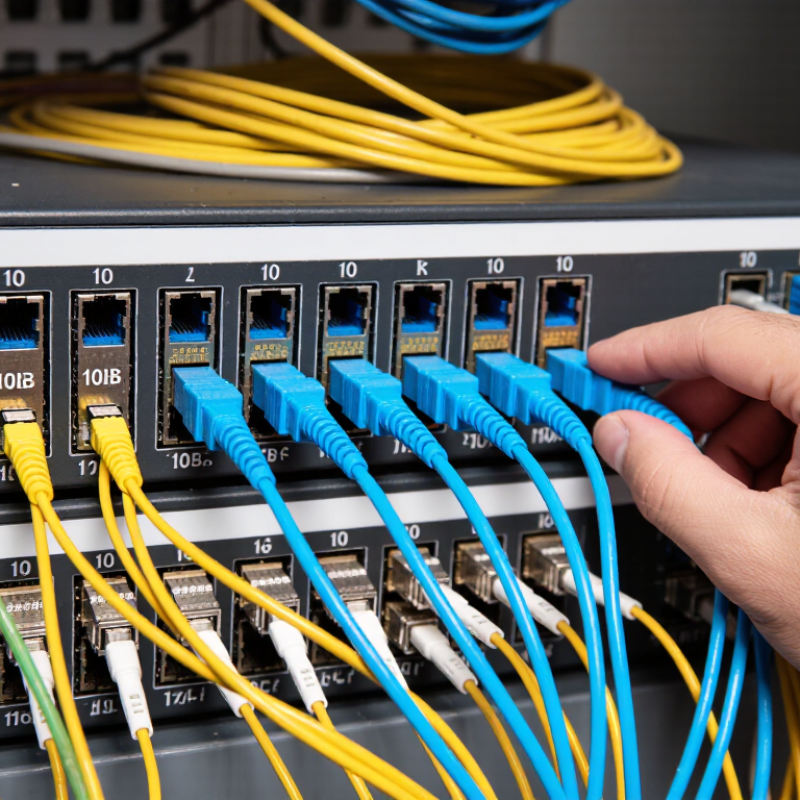
A 10Gb SFP+ port usually has a small metal cage and a latch for a plug-in transceiver or direct-attach cable. Check the port label and device manual; an SFP-shaped port does not guarantee 10Gb operation. Some ports support several speeds, while others require a specific module type or firmware setting. Check both ends of the link. Compatibility is a two-device question.

Match the cable to the port’s interface and distance. SFF-8431 defines key electrical requirements for SFP+ host interfaces, while IEEE 802.3-2022 specifies 10GBASE-SR operation over multimode fiber: up to 300 meters on OM3 or 400 meters on OM4. For a short rack link, a DAC may be practical; for longer runs, check the required fiber type and optics. Read the device’s compatibility list, supported speed, and power limits before ordering. A cable can fit and still fail to establish a link. Easy to miss. Measure the actual cable route, not just the gap between rack posts; those extra bends add distance, and I have seen that overlooked.

How to Choose the Right 10Gb SFP Cable? – Identify the 10Gb SFP+ Ports and Compatibility Requirements

Cable or Link Type Typical 10Gb Standard Typical Reach Port and Compatibility Requirements Best Suited For
Passive SFP+ DAC
Direct-attach copper cable
10Gb SFP+ direct-attach link Usually a few metres; supported limits vary by cable and port, with some configurations reaching about 7 m. Both devices need compatible SFP+ ports that support DAC cables. Check each device’s supported cable coding, cable length, and port speed. Short, low-cost links between switches, servers, and storage in the same rack or nearby racks.
Active SFP+ DAC
Direct-attach copper cable with signal conditioning
10Gb SFP+ direct-attach link Often longer than passive DAC; the supported reach depends on the cable and host ports. Confirm that both SFP+ ports support active DAC cables and that the cable’s power and compatibility requirements are met. Short-to-medium rack connections where a passive DAC does not meet the required distance.
10GBASE-SR optics with multimode fiber
Typically duplex LC-LC fiber
10GBASE-SR, typically 850 nm Up to 300 m on OM3 or 400 m on OM4 multimode fiber under typical standards-based specifications. Install a compatible 10GBASE-SR SFP+ transceiver at each end. Match the optics, multimode fiber type, connector, and wavelength; clean and correctly connect the fiber pair. Data-center and building links over multimode fiber at moderate distances.
10GBASE-LR optics with single-mode fiber
Typically duplex LC-LC fiber
10GBASE-LR, typically 1310 nm Up to 10 km on suitable single-mode fiber under the 10GBASE-LR specification. Use compatible 10GBASE-LR SFP+ transceivers at both ends and single-mode fiber. Match the optical standard and connector type; do not pair SR optics with LR optics. Campus, building-to-building, or other longer-distance links using single-mode fiber.
10GBASE-T SFP+ module with twisted-pair cable
RJ45-based copper link
10GBASE-T Up to 30 m for a 10GBASE-T SFP+ module, depending on the module and cabling specification. The SFP+ port must explicitly support 10GBASE-T modules. Check module power, heat, port restrictions, and the required copper cable category; many modules have higher power and temperature requirements than optical modules. Connecting SFP+ equipment to compatible RJ45-based 10GbE devices over short copper runs.

Before ordering: Confirm that the interface is an SFP+ port (not merely an SFP port), that it supports 10Gb operation, and that the device documentation allows the selected cable or transceiver. Match the link standard and fiber or copper type at both ends. Actual compatibility and reach can vary by device, cabling, and installation.

Compare Direct-Attach Copper and Active Optical Cables

For a 10Gb SFP+ link, direct-attach copper and active optical cables solve different problems. A DAC uses copper conductors with connector modules fixed to each end. It is usually a practical choice for short connections between switches in the same rack. It needs no separate optical transceivers. Simple, but not universal. Check the equipment’s supported cable length and compatibility before ordering.

An active optical cable (AOC) carries data over fiber, with optical electronics built into its ends. It can span longer distances and is lighter than many copper assemblies, which helps when routes cross racks or cable trays. Fiber also resists electromagnetic interference. However, AOCs can cost more, and their connectors need careful handling. Avoid sharp bends and keep dust away from the optical surfaces.

Measure the actual cable path, not just the gap between devices. A crowded rack may need a longer cable than its layout suggests, while excess length can obstruct airflow. DACs often make sense for short, tidy links; AOCs fit longer or more interference-prone routes. The neatest choice on paper can still be wrong in a cramped cabinet. Check port support, reach, bend space, and replacement plans before committing.

Match Cable Length to Distance and Installation Conditions

Match the cable to the actual route, not the straight-line distance between devices. Measure from port to port, following the rack’s cable managers, patch panels, and overhead or underfloor pathways. Add modest slack for servicing, but avoid large loops that obstruct airflow or snag during maintenance. A cable that is too short can strain ports. Too much slack creates clutter.

For optical links, IEEE 802.3ae specifies up to 300 metres for 10GBASE-SR over OM3 multimode fiber and 400 metres over OM4. 10GBASE-LR supports up to 10 kilometres over single-mode fiber under its specified conditions. These are link limits, not a reason to ignore the route: connectors, transceivers, and installation quality still matter. For direct-attach copper, check the cable and port specifications; supported lengths vary by equipment.

Check bends and movement before ordering. Tight turns behind a rack can stress a cable, while a door or sliding tray may pinch it. Follow the cable maker’s minimum bend radius, and choose a jacket suited to the installation space. A little spare length helps. Too much does not. A tidy rack can still hide a cable under tension, so inspect the finished path rather than judging by appearance alone.

Check Connector Types, Data Rates, and Device Support

Choosing a 10Gb SFP cable starts with the port, not the product label. Passive and active direct-attach copper cables use SFP+ plugs at both ends, so check that each device has a compatible SFP+ cage. For fiber links, confirm the transceiver’s connector—often LC—and match it to the cable. Small details matter. A cable that fits physically may still be unsupported by the switch or server.

Check the required reach and data rate. IEEE 802.3 specifies 10GBASE-SR operation at 10 Gbit/s, with reaches up to 300 metres on OM3 multimode fiber and 400 metres on OM4. Those figures apply to the specified optical setup, not every cable marked “10G.” For copper DAC, verify the cable’s rated length and passive or active design against both devices’ support documentation. A long run may need a different medium.

Then check device compatibility, firmware guidance, and port configuration. SFF-8431 defines key SFP+ electrical interface requirements, but it does not guarantee that every device accepts every cable. That distinction is easy to overlook. Read the device support matrix, confirm the port is enabled for 10GbE, and compare the cable’s exact type and length. When documentation is unclear, verify before ordering; connector shape alone proves very little.

Balance Power Use, Reliability, and Total Cost

Choosing a 10Gb SFP cable starts with the distance between ports. For links inside one rack, a passive direct-attach copper cable usually avoids optical components and keeps power use low. That difference matters across dozens of connections. The SFF-8431 specification defines SFP+ module power classes up to 2.5 watts; this is a ceiling, not the expected draw of every module. Check the actual module and switch specifications before comparing energy costs. Small numbers add up.

Reliability depends on the route, not just the cable label. A short copper lead can be economical, but tight bends, crowded cable trays, and frequent moves can stress connectors. For longer runs, optical options may fit better. IEEE 802.3 guidance for 10GBASE-SR supports links up to 300 meters over OM3 multimode fiber, or 400 meters over OM4. Use those figures as limits under specified conditions, not guarantees for every installed path. Measure the route and inspect the fiber grade.

Total cost includes more than the purchase price. Compare cable cost, power draw, spare inventory, and the labor needed to replace or troubleshoot a link. I have seen teams optimize the initial quote, then pay more for awkward routing and extra stock. That judgment can be wrong, too: a simple short copper link is often the sensible choice. Match the cable to the actual reach and operating environment, then verify compatibility with both ports.